 ReMTP
Fast Android file transfer for Mac.
A native two-pane file manager for Android phones, tablets and audio players over USB. Uploads of many small files run up to 21× faster than with OpenMTP’s engine.
1,000 files in 45 seconds.
Not 14 minutes.
That’s 1,000 one-megabyte files uploaded to an Astell&Kern SP3000 over USB 3. ReMTP’s overhead is tens of milliseconds per file, so small files don’t add up to minutes.
Larger files, same two devices
1.5–3.9×
faster uploads of 100 × 30 MB
1.6–1.9×
faster uploads of 2 × 1.5 GB
1.3–1.4×
faster downloads of 100 × 30 MB
Why it’s fast
It plans the whole copy first.
One bulk listing instead of a request per file. Conflicts and bad file names turn up before a single byte moves.
It never re-lists a folder between files.
With OpenMTP’s engine, each upload takes longer than the last as the folder fills up. That’s where the 23 minutes went.
It reads ahead.
While the device writes one file, the next ones are already coming off your disk.
And it shows where the time goes.
Link speed, average time per file, device wait and idle time between files, live in the Transfers drawer.

Your Mac and your phone,
side by side.
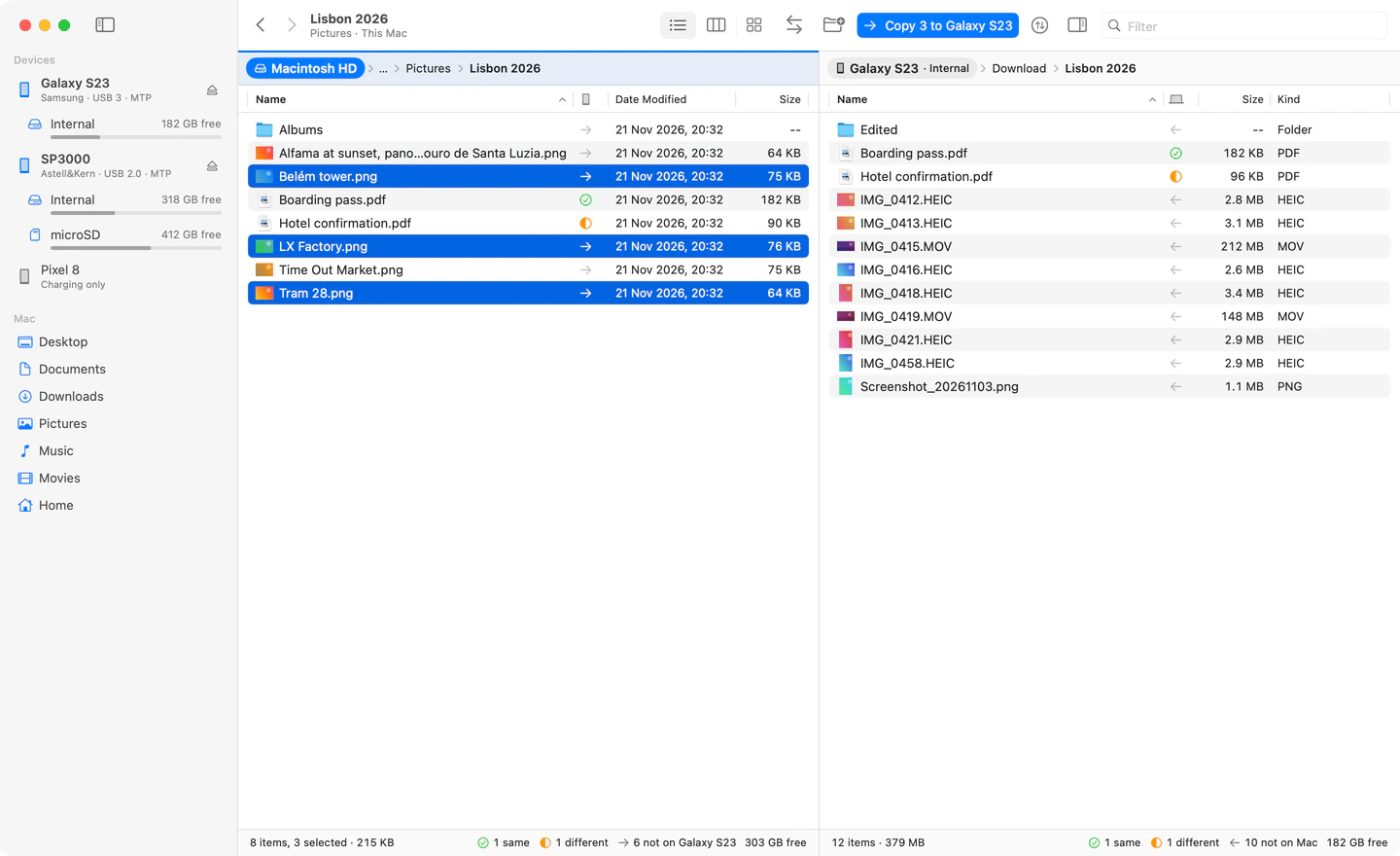
Drag files between the two panes, or to and from Finder. Everything you’d expect from a file manager, on both sides.
Two panes
List, columns or icons on each side, for internal storage and SD cards. A Compare column marks files as the same, different or missing, by name and size.
Copy both ways
Drag and drop, F5 or keyboard shortcuts. Replace, Keep Both or Skip is settled before anything moves, and every job can pause.
Inspector
Previews for images, video, PDFs and cover art, plus dates, duration and an album’s track list.
Device access
If macOS’s photo service holds your device, ReMTP says so and frees it with one click, then turns it back on.
USB mode
With USB debugging on, a phone in Charging only still shows up, and ReMTP switches it to File transfer. The first time, the phone asks you to allow it.
Command line
The remtp tool lists, copies and benchmarks from the terminal: ls, push, pull, bench and more.
Free, open source,
and yours to improve.
ReMTP is MIT licensed and built in the open. No account, no ads, no tracking.
Report your device
Tell us your device, Mac and cable, even when everything works. Output from remtp bench helps most.
Contribute code
A Rust core with a native SwiftUI and AppKit app on top. The tests run without a device.
Read the contributing guideFollow along
Next up: folder sync with a preview of every change, a faster ADB transport, and a Windows app.
Star ReMTP on GitHubUp and running in a minute.
Download
Open the DMG and drag ReMTP to Applications. It’s signed and notarized, so it opens like any Mac app.
Connect
Plug in your phone, tablet or audio player with a USB cable and unlock it.
Choose File transfer
Tap the “Charging this device via USB” notification and choose File transfer. With USB debugging on, ReMTP can switch it for you.
No device at hand? Try the demo with simulated devices: open -a ReMTP --args --demo